 Macon Calendar Tools
Open app
Print an Outlook calendar with space for notes
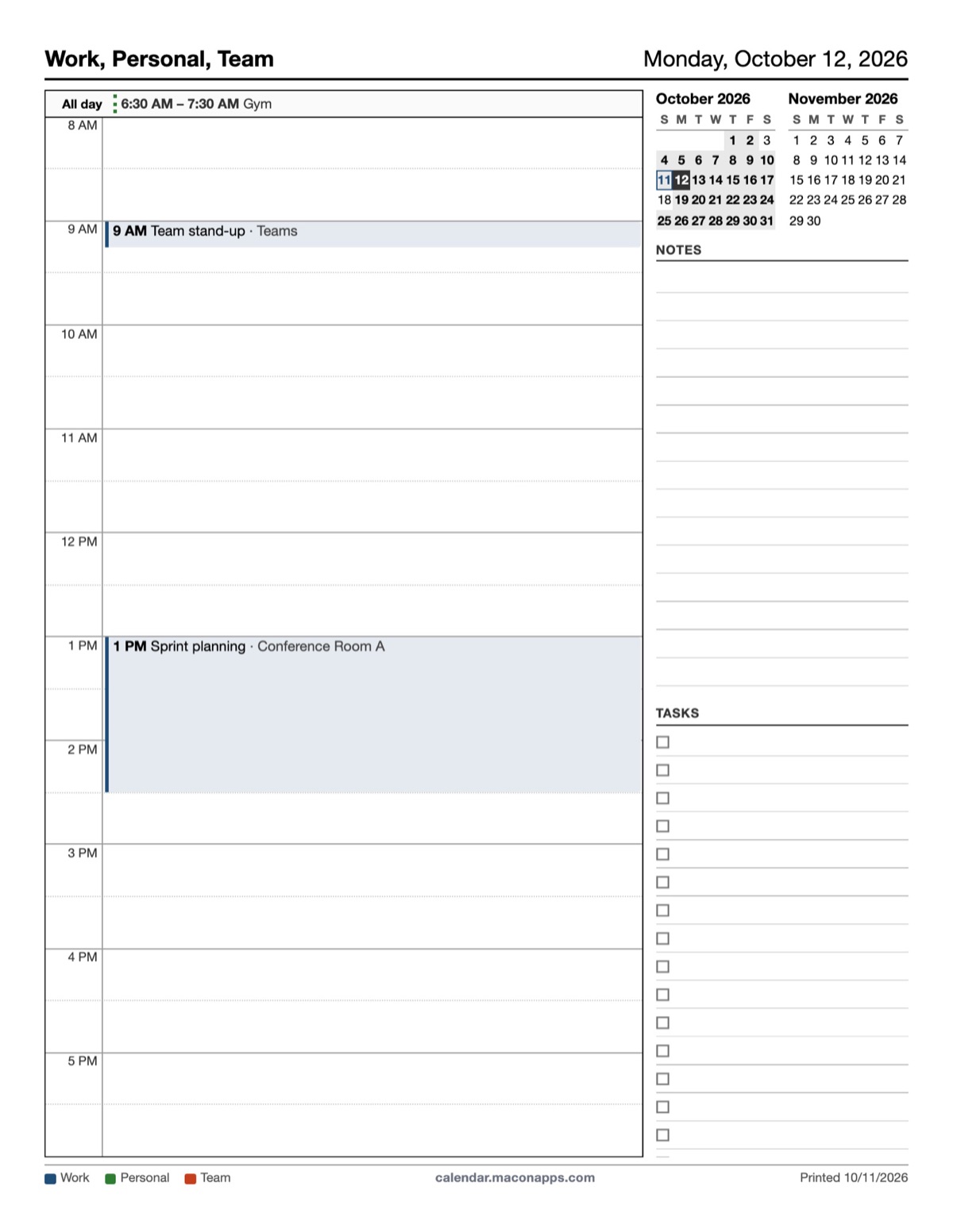
Classic Outlook's Daily style had a notes area next to the hours, and the Tri-fold had a notes column. The new Outlook has neither. Both are back.
Print your calendar now Free to try. No account needed.
Layouts with notes
- Daily (free): the day's hours down the left with meetings in their slots, and a notes block with ruled lines. Turn the lines on or off with *Show notes lines*.
- Tri-fold (Pro): three panels: today's schedule, the week, and the month with a notes column underneath.
Steps
- Open the app and sign in with Microsoft (or paste a calendar link).
- Choose Daily or Tri-fold, set the date, and set the hour range (for example 8 AM to 6 PM) so the day grid matches your working hours.
- Tick *Show notes lines*, click Print.
Who prints this
Nurses and carers doing handover notes, trades people taking job notes between appointments, teachers and lecturers with a timetable, and anyone who prefers a printed day sheet over a phone during meetings.
Your calendar, mail and contact data are read in your browser straight from Microsoft and are never uploaded to our servers.
Frequently asked questions
Can I change the hours shown on the daily page?
Yes. Set From and To in the options; the grid scales to fill the page.
Can I print a week with notes?
The tri-fold page covers today, the week and the month with a notes column; the weekly layout itself has no notes area.
Is the daily layout free?
Yes. Tri-fold is Pro.
Is my calendar uploaded?
Your calendar, mail and contact data are read in your browser straight from Microsoft and are never uploaded to our servers.