 Macon Calendar Tools
Open app
Outlook calendar prints on two pages or gets cut off: here is the fix
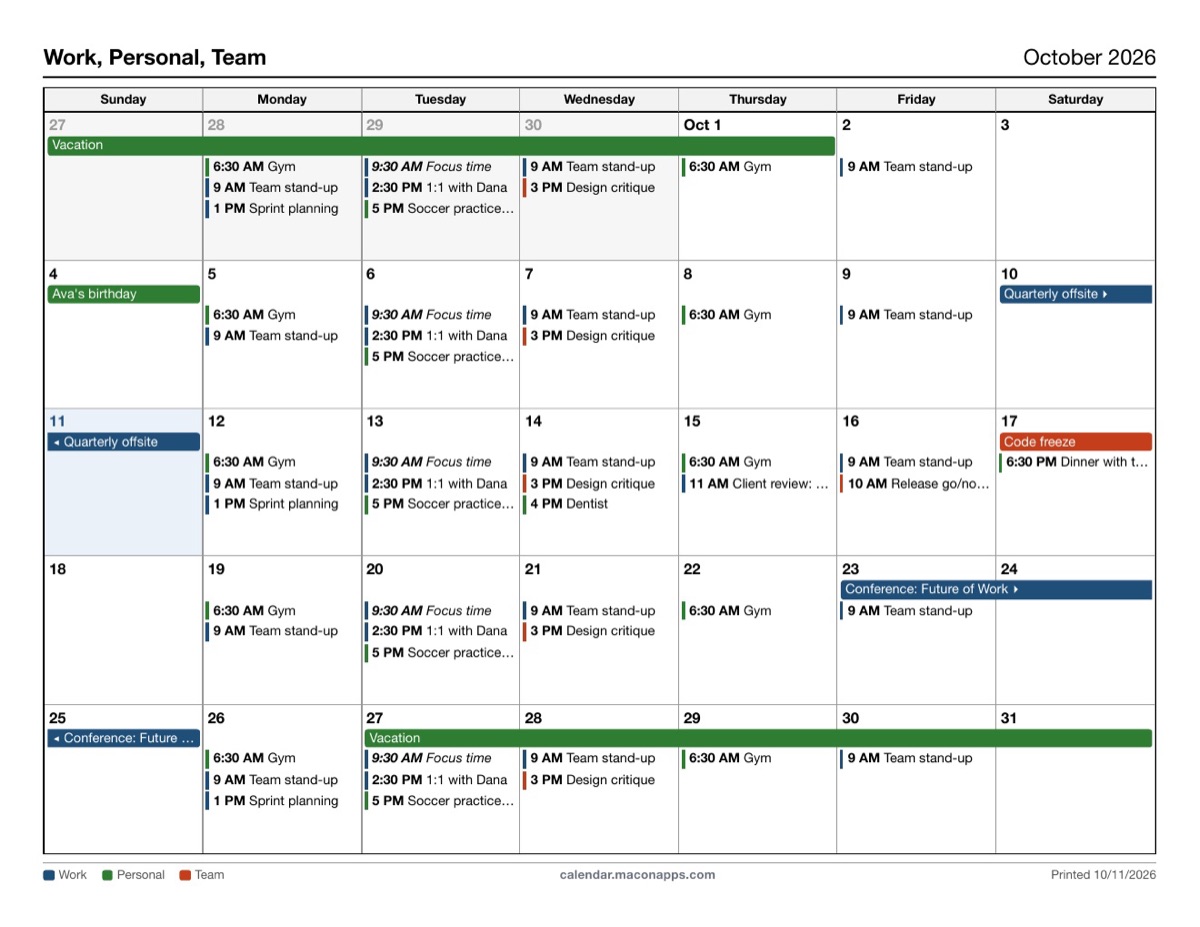
The new Outlook and Outlook on the web hand the browser a web page and say "print this". Browsers do not know where a month ends, so you get a sheet and a half, a clipped right-hand column, or text too small to read. A layout built for paper fixes all three.
Print your calendar now Free to try. No account needed.
Why it happens
The new Outlook has no page setup. Print sends the calendar grid to the browser's print engine, which paginates a scrolling web view: the grid breaks wherever the paper runs out, the right-hand days fall off when the view is wider than the page, and "fit to page" shrinks everything to a 6-point font. Classic Outlook avoided this because its print styles were designed for paper.
The fix: print a page, not a view
- Open the app and sign in with Microsoft (or paste your published calendar link).
- Choose Monthly (or weekly, daily, tri-fold). Each layout is sized for exactly one page: six-week month grid, seven-day week, 8 AM to 6 PM day.
- Set Page size to match your paper (Letter or A4) and pick portrait or landscape. The preview is the page.
- Click Print and, in the dialog, set margins to *Default* and scale to *100%*.
Still spilling over? Check these
- Paper mismatch: A4 content on Letter paper (or the reverse) loses a strip. Match the app's Page size to the printer's.
- Browser scaling: in the print dialog, "Scale" should be 100%, not "Fit to page".
- Headers and footers: turn off the browser's own date and URL header, which steals a line.
- Font size: if a busy day shows "+3 more", switch Font size to *Small* instead of letting the browser shrink the whole page.
- Weekends: untick *Include weekends* for a five-column week that is easier to read in portrait.
Your calendar, mail and contact data are read in your browser straight from Microsoft and are never uploaded to our servers.
Frequently asked questions
Does this fix the two-page problem in Outlook on the web too?
Yes. The app does not use Outlook's print at all; it reads your calendar and prints its own page.
Can I print a week on one page in portrait?
Yes. The weekly layout is portrait by default and fits seven days with times and locations on one Letter or A4 page.
Which layouts are free?
Monthly, weekly and daily are free. Tri-fold, weekly with details, multi-week, yearly and agenda are Pro.
Is my calendar uploaded?
Your calendar, mail and contact data are read in your browser straight from Microsoft and are never uploaded to our servers.