 Macon Calendar Tools
Open app
Print a shared or group calendar from Outlook
Front desks, clinics, workshops and church offices usually print a calendar that belongs to a room, a team or a shared mailbox — not a person. Outlook makes that awkward; here it is one tick box.
Print your calendar now Free to try. No account needed.
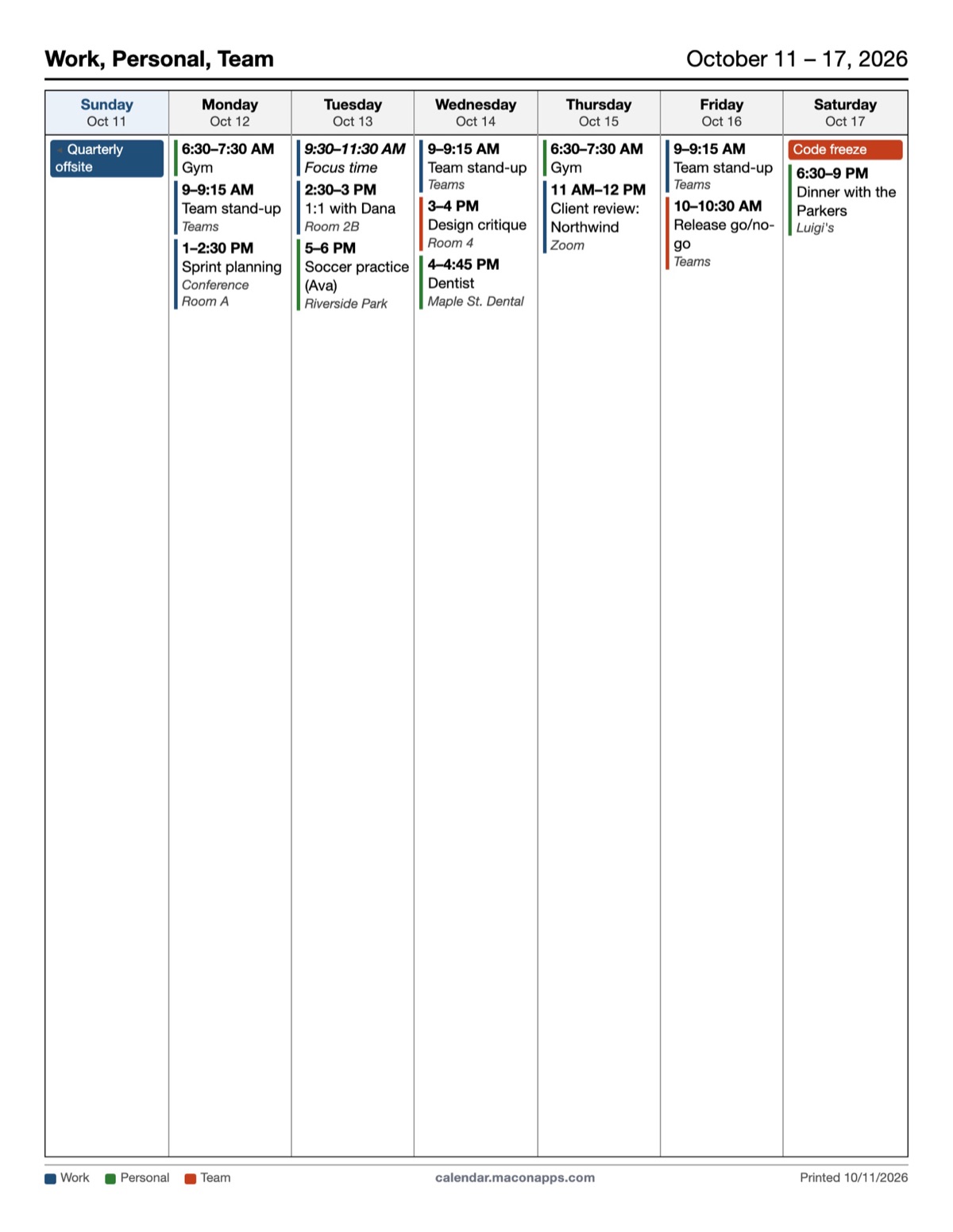
How it works
- Sign in with Microsoft. The Calendars panel lists every calendar you have access to: your own, calendars shared with you, Microsoft 365 group calendars and room or resource calendars you can open.
- Tick the shared calendar. Untick your own if you want the printout to show only the team.
- Pick a layout. Weekly and monthly are the usual choices for a notice board; weekly with details adds who is attending and where.
Each calendar keeps its own color, and the legend at the bottom of the page names them, so a combined printout still reads clearly.
Common setups
- Reception or front desk: the office calendar plus the on-call calendar, weekly, Monday start, printed every Friday.
- Clinic or practice: the room calendar, daily layout with notes lines for walk-ins.
- Church or school office: the events group calendar, monthly, on A4 for the notice board.
- Field crews: the team calendar, multi-week, without details so it stays readable from a distance.
If a calendar is missing from the list
You need at least *view* permission on it in Outlook. Ask the owner to share it (Outlook → Calendar → Share), or for a group calendar make sure you are a member of the Microsoft 365 group. Calendars published as an ICS link can also be added with + Calendar link.
Your calendar, mail and contact data are read in your browser straight from Microsoft and are never uploaded to our servers.
Frequently asked questions
Can I print just the shared calendar without my own events?
Yes. Untick your own calendars in the Calendars panel and only the ticked ones are printed.
Does it print a shared mailbox calendar?
If the shared mailbox calendar has been shared with you or added to your Outlook, it appears in the list.
Can I save a preset for the weekly notice-board printout?
Yes, with Pro: set the calendars, layout and options once, save them as a preset, and reload it with one click next week.
Is anything stored on your servers?
Your calendar, mail and contact data are read in your browser straight from Microsoft and are never uploaded to our servers.