 Macon Calendar Tools
Open app
Turn your Outlook calendar into a timesheet
If your calendar already records where your time went — client meetings, project blocks, clinic hours — the timesheet is one export away. OutlookXL writes every event with its duration in hours and totals them by category, week and calendar.
Export your calendar Free to try. No account needed.
How to build a timesheet from Outlook
- In Outlook, give events a category per client or project (Outlook's colored categories). Existing events can be re-categorized in bulk from the list view.
- Open the app, sign in with Microsoft, and tick the calendar(s) to include.
- Pick the date range — *this month*, *last month*, or a custom range for a billing period.
- Tick Exclude all-day and "free" events from hour totals so vacations and tentative blocks do not count.
- Click Export .xlsx.
What the workbook contains
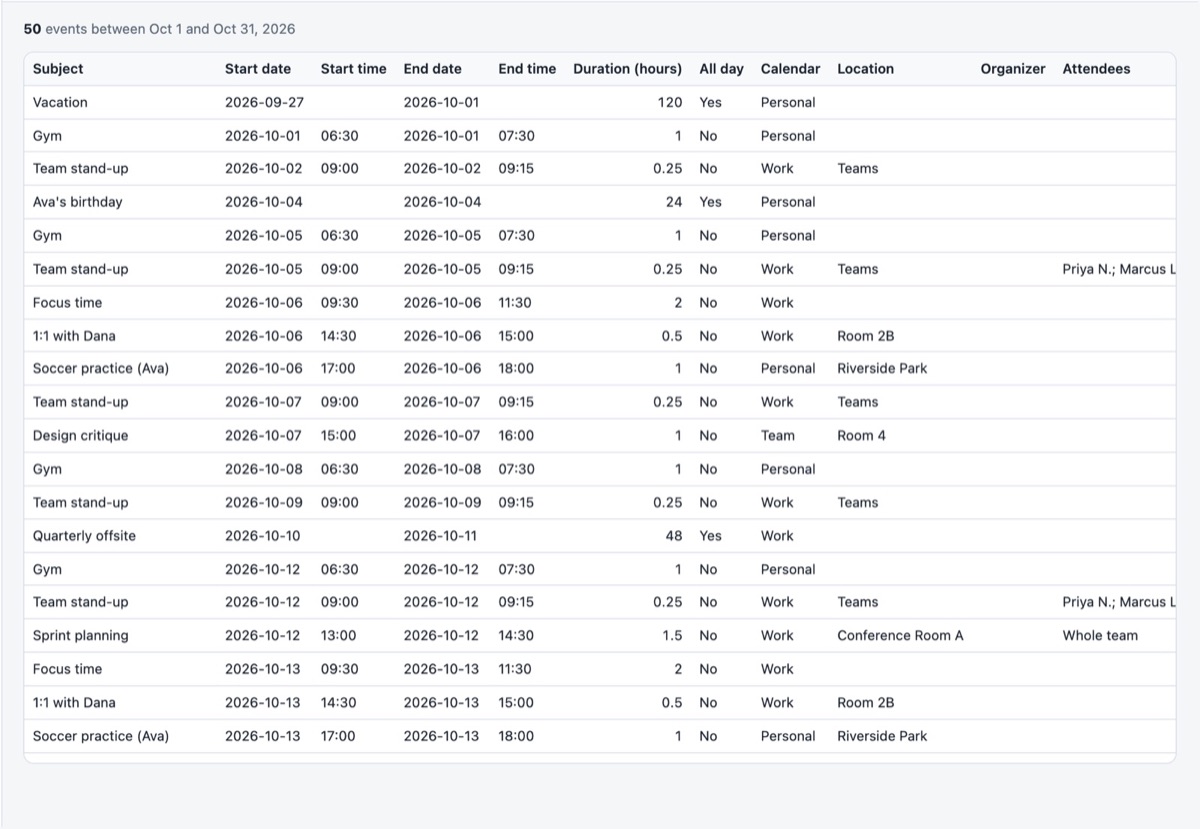
- Calendar — one row per event: subject, start and end as real date and time cells, duration in decimal hours, all-day flag, calendar, category, location, organizer and attendees. Ready for a pivot table or a SUMIFS.
- Hours by category (Pro) — total hours and event counts per Outlook category for the range: your per-client or per-project totals.
- Hours by week (Pro) — weekly totals (weeks start Monday) to spot over- and under-booked weeks.
- Hours by calendar (Pro) — useful when work and personal calendars are both ticked.
The free plan exports the first 100 rows of the Calendar sheet; Pro removes the cap and adds the summary sheets.
Who uses it this way
- Consultants and lawyers billing by the hour from calendar blocks.
- Clinicians and tutors reporting contact hours.
- Managers checking how much of the team's week goes to meetings.
- Anyone who has to fill in a corporate timesheet on Friday and would rather copy the totals.
Accuracy notes
Durations come from the event's start and end, so a 30-minute meeting that ran long still counts 0.5 h unless you adjust the event. Recurring meetings are expanded into their actual occurrences. Overlapping events are both counted — tick *Exclude free events* and mark the one you did not attend as Free, or decline it.
Your calendar, mail and contact data are read in your browser straight from Microsoft and are never uploaded to our servers.
Frequently asked questions
Can I export more than one month?
Yes. Choose "Custom" and enter any From/To dates — a quarter, a year, or a project's whole span.
Do categories have to be set in Outlook?
Yes, the category column comes from Outlook's categories. Events without one are totalled under "(No category)".
Can I export a CSV instead?
Yes. Export .csv writes the Calendar sheet as a plain file; the summary sheets need the .xlsx workbook.
Is my calendar sent to your servers?
Your calendar, mail and contact data are read in your browser straight from Microsoft and are never uploaded to our servers.